Features Overview

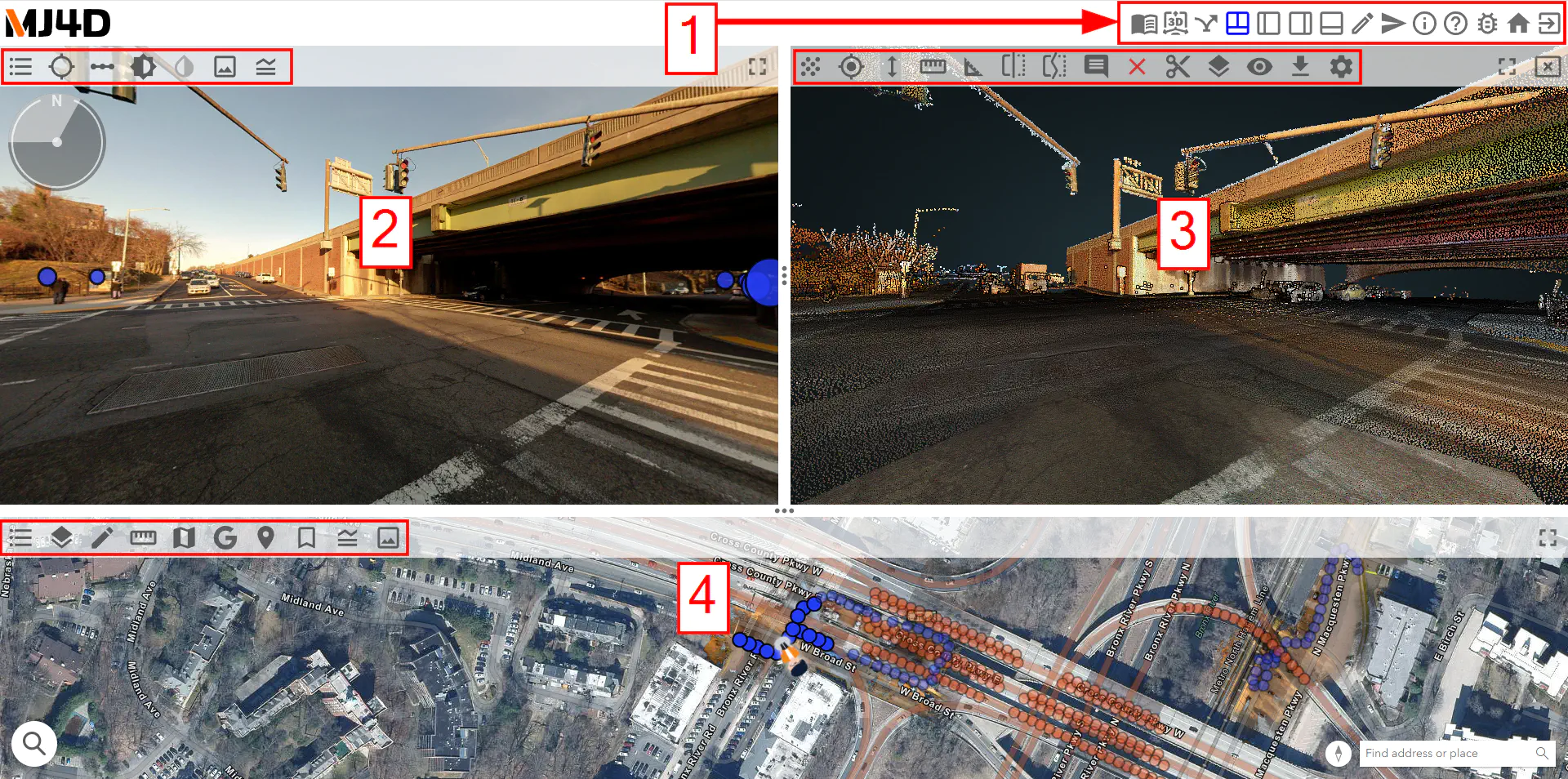
When opening a MJ4D project, multiple icons appear around the screen, each having a unique and powerful function. The Main Navigation Bar [1] contains options pertaining to the entire MJ4D.

Additionally, the Panoramic Photo Pane [2], Pointcloud Pane [3], and Map Pane [4], each have a navbar of their own with advanced options and tools pertaining to that pane.

- Time Travel โ†’

- About โ†’

- 3D Navigation Layout โ†’

- Site Directory โ†’

- Three Panel Layout โ†’

- Vertical Layout Left โ†’

- Vertical Layout Right โ†’

- Horizontal Layout โ†’

- Sketchpad โ†’

- Share Link โ†’

- Terms of Use โ†’

- MJ4D Wiki โ†’

- Send Feedback โ†’

- Home โ†’

- Log Out โ†’

Map Pane

- Pano Levels โ†’

- Layer list โ†’

- Sketch Menu โ†’

- Measurement Tool โ†’

- Basemap โ†’

- Google Streetview โ†’

- Coordinate Conversion Tool โ†’

- Bookmarks Menu โ†’

- Map Legend โ†’

- Take Screenshot โ†’

- Alignments Tool โ†’

Panoramic Photo Pane

- Level List โ†’

- Toggle Points of Interest โ†’

- Hotspot Filter โ†’

- Adjust Brightness โ†’

- Illuminate โ†’

- X-Ray Mode โ†’

- Take Screenshot โ†’

- Legend โ†’

- Measure โ†’

- PinPoint โ†’

Pointcloud Pane

- Pointcloud Resolution โ†’

- Measure Point โ†’

- Measure Height โ†’

- Measure Distance โ†’

- Measure Slope โ†’

- Create Cross-Section โ†’

- Create Profile Section โ†’

- Add Annotation โ†’

- Clear Measurements โ†’

- Clip Menu โ†’

- Scene Layers โ†’

- Classification Filter โ†’

- Download Measurments โ†’

- General Pointcloud Settings โ†’

- Orthographic View Mode โ†’


